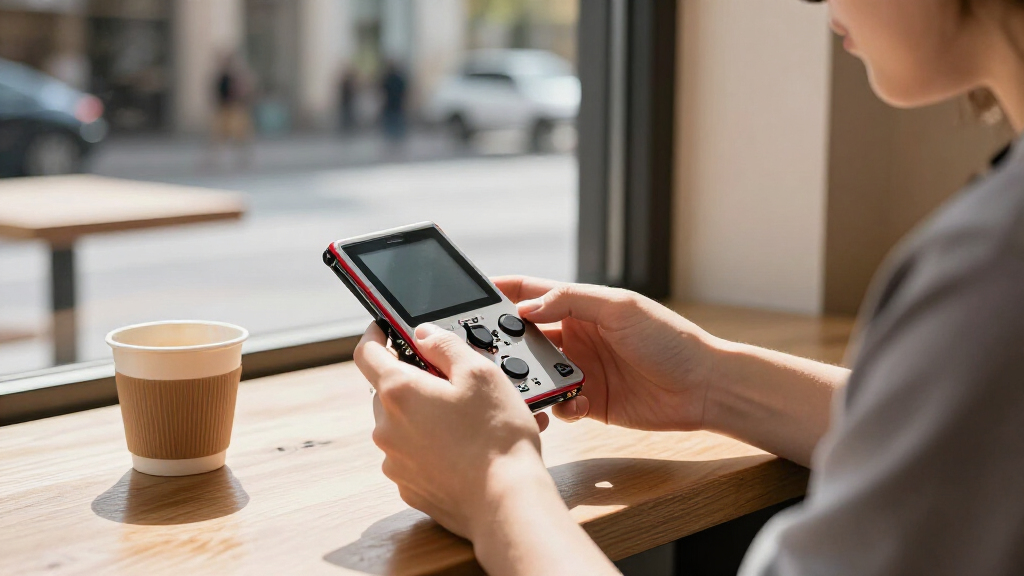
The best Raspberry Pi handheld consoles depend on whether you want a ready-to-build gaming shell, a compact DIY board, or a portable Linux computer. My best overall pick is the RetroFlag GPi Case 2, which pairs a dedicated handheld design with Raspberry Pi Compute Module 4 compatibility. The Waveshare Game HAT with a 3.5-inch IPS screen is a strong choice for a straightforward Pi-based gaming build, while the uConsole Kit stands apart for typing, connectivity, and general-purpose Linux use. The main tradeoffs are screen size, Pi compatibility, assembly effort, and whether the controls suit gaming or computing. Read on for how the nine options compare and which type of build fits your needs.

Get the latest gadgets delivered free with Prime
- Fast, free delivery on millions of items
- Prime Video, Amazon Music and more included
- Member-only deals all year
Complete the kit



Key Takeaways
- The GPi Case 2 is the most purpose-built handheld pick, while the uConsole is better suited to people who want a pocketable Linux computer with a keyboard.
- The 3.5-inch Game HAT options emphasize a larger play area; the 1.3-inch Waveshare and GamePi13 boards make more sense for tiny projects than extended play.
- Raspberry Pi compatibility varies by model: check the exact board or Compute Module named for each product before buying, rather than assuming one handheld shell fits every Pi.
- The GamePi43 products prioritize a larger 4.3-inch display, but the DIY kit and version bundled with a Raspberry Pi 3B+ are different buying propositions.
- Assembly and software setup are part of the cost of ownership: these products are components or kits, so confirm what is included and how you will load and configure your games.
| Waveshare 1.3-Inch LCD Game Console for Raspberry Pi |  | Best Compact DIY Board | Screen: 1.3-inch IPS LCD | Resolution: 240 × 240 | Display driver: ST7789 | VIEW LATEST PRICE | See Our Full Breakdown |
| Waveshare Game HAT for Raspberry Pi with 3.5-Inch IPS Screen |  | Best for Raspberry Pi Compatibility | Screen: 3.5-inch IPS LCD | Resolution: 480 × 320 | Compatible Raspberry Pi models: A+, B+, 2B, 3B, and 3B+; Zero models need an additional HDMI cable | VIEW LATEST PRICE | See Our Full Breakdown |
| uConsole Kit for Raspberry Pi CM4, Wi-Fi and 4G LTE, 5-Inch IPS QWERTY Handheld Linux Computer |  | Best for Handheld Linux Computing | Mainboard: ClockworkPi v3.14 revision 5 | Compatible module: Raspberry Pi CM4, not included | Display: 5-inch IPS, HD 720p | VIEW LATEST PRICE | See Our Full Breakdown |
| Waveshare GamePi43 Portable Retro Game Console with Raspberry Pi 3B+ |  | Best Ready-to-Build Gaming Package | Processor: 64-bit quad-core, 1.4 GHz | Memory: 1 GB RAM | Display: 4.3-inch IPS | VIEW LATEST PRICE | See Our Full Breakdown |
| RetroFlag GPi Case 2 Handheld Case for Raspberry Pi CM4 |  | Best Battery-Included CM4 Case | Compatibility: Raspberry Pi Compute Module 4; CM4 Lite with Wi-Fi recommended; eMMC models not supported | Screen: 3-inch TFT | Resolution: 640 × 480 | VIEW LATEST PRICE | See Our Full Breakdown |
| GamePi13 1.3-Inch LCD Game Console Board for Raspberry Pi and RP2040-PiZero |  | Best for DIY Mini Builds | Display: 1.3-inch IPS LCD | Resolution: 240 × 240 | Color depth: 65K colors | VIEW LATEST PRICE | See Our Full Breakdown |
| AKNES Retroflag GPi Case 2W for Raspberry Pi Zero, 3-Inch IPS LCD |  | Best for a Simple Zero-Based Build | Compatible devices: Raspberry Pi Zero, Zero W, and Zero 2W | Display: 3-inch IPS LCD | Resolution: 640 × 480 | VIEW LATEST PRICE | See Our Full Breakdown |
| Waveshare Game HAT, Compatible with Raspberry Pi 4B/3B/3B+/Zero/Zero W/Zero WH, Retro Gaming Console with 3.5-Inch IPS Screen, Joystick, and Buttons |  | Best for Broad Raspberry Pi Compatibility | Display: 3.5-inch IPS | Resolution: 480 × 320 | Refresh rate: 60 Hz | VIEW LATEST PRICE | See Our Full Breakdown |
| Waveshare GamePi43 DIY Portable Retro Game Console Kit for Raspberry Pi |  | Best for a Large-Screen DIY Build | Display: 4.3-inch IPS | Resolution: 800 × 480 | Frame rate: 60 fps | VIEW LATEST PRICE | See Our Full Breakdown |
| Raspberry Pi handheld console | Resolution | Display | Audio |
|---|---|---|---|
| Waveshare 1.3-Inch LCD Game Co | 240 × 240 | — | — |
| Waveshare Game HAT for Raspber | 480 × 320 | — | Onboard speaker and earphone jack |
| uConsole Kit for Raspberry Pi | — | 5-inch IPS, HD 720p | — |
| Waveshare GamePi43 Portable Re | 800 × 480 | 4.3-inch IPS | Onboard speaker and earphone jack |
| RetroFlag GPi Case 2 Handheld | 640 × 480 | — | — |
| GamePi13 1.3-Inch LCD Game Con | 240 × 240 | 1.3-inch IPS LCD | Onboard audio output |
| AKNES Retroflag GPi Case 2W fo | 640 × 480 | 3-inch IPS LCD | — |
| Waveshare Game HAT | 480 × 320 | 3.5-inch IPS | Onboard speaker and earphone jack |
| Waveshare GamePi43 DIY Portabl | 800 × 480 | 4.3-inch IPS | Onboard speaker and earphone jack |
More Details on Our Top Picks
Waveshare 1.3-Inch LCD Game Console for Raspberry Pi
This is the most compact gaming-focused option here, built around a 1.3-inch IPS display and 12 customizable buttons. Its small footprint suits projects where portability and hands-on configuration matter more than a roomy screen. The integrated ST7789 driver communicates over SPI, giving Raspberry Pi builders a defined display setup rather than a generic panel. Compared with the Waveshare Game HAT, this board is easier to fit into a tiny build but gives up screen area and the larger model’s audio and battery features. It is a board, not a finished handheld: you need a compatible Raspberry Pi and must plan the rest of the build yourself. The tiny display also limits comfort for longer sessions or games with busy visuals.
Pros:- Compact 1.3-inch IPS display suits small custom builds
- 12 customizable buttons allow flexible control layouts
- Integrated ST7789 driver uses SPI communication
- 240 × 240 resolution and 65K colors
Cons:- Board only; a compatible Raspberry Pi and a separate build are required
- The 1.3-inch screen is restrictive for extended play and detailed games
Best for: Raspberry Pi hobbyists building an especially small handheld who value customizable controls over screen size.
Not ideal for: Buyers seeking a ready-to-play console, a larger display, or included battery and audio hardware.
- Screen:1.3-inch IPS LCD
- Resolution:240 × 240
- Display driver:ST7789
- Display interface:SPI
- Display colors:65K
- Controls:12 customizable buttons
- Platform:Linux
- Included component:GamePi13 board
Our verdict“Choose this board for a compact, customizable Raspberry Pi project, not for a ready-made handheld or a large-screen gaming experience.”
Waveshare Game HAT for Raspberry Pi with 3.5-Inch IPS Screen
The Game HAT is a flexible route to a 3.5-inch, 480 × 320 IPS handheld if you already own a supported Raspberry Pi. Its listed compatibility spans several A+, B+, 2B, 3B, and 3B+ models; Zero models need an additional HDMI cable. The onboard speaker and earphone jack give you two ways to handle audio, while charging during play can help when a session runs longer than the battery. That battery is an optional 18650 cell, though, and the stated runtime is only about one to two hours. Compared with the GamePi43, this kit includes an acrylic case and supports a broad set of boards, but it has a smaller display and does not include a Raspberry Pi.
Pros:- 3.5-inch IPS display with 480 × 320 resolution
- Onboard speaker and earphone jack provide audio options
- Supports charging while playing
- Includes an acrylic case, HDMI connector, and Raspberry Pi screw pack
Cons:- 18650 battery is not included and runtime is about 1–2 hours
- Raspberry Pi is not included
- Zero models require an additional HDMI cable
Best for: Raspberry Pi owners who want a 3.5-inch handheld kit with built-in audio and compatibility across several older Pi models.
Not ideal for: Buyers who need a complete console, long battery sessions, or a Zero build without extra HDMI hardware.
- Screen:3.5-inch IPS LCD
- Resolution:480 × 320
- Compatible Raspberry Pi models:A+, B+, 2B, 3B, and 3B+; Zero models need an additional HDMI cable
- Battery:18650 lithium battery, not included
- Stated battery life:About 1–2 hours, depending on the game
- Audio:Onboard speaker and earphone jack
- Charging:Supports charging while playing; recommended adapter: 5V/2A
- Included:Game HAT, acrylic case, HDMI connector, and Raspberry Pi screw pack
Our verdict“Pick the Game HAT if you own a supported Raspberry Pi and want a flexible 3.5-inch build, but budget for a battery and accept short stated runtime.”
uConsole Kit for Raspberry Pi CM4, Wi-Fi and 4G LTE, 5-Inch IPS QWERTY Handheld Linux Computer
The uConsole is the outlier in this lineup: it is a handheld Linux computer with a backlit QWERTY keyboard, not simply a gaming case. A 5-inch 720p IPS screen, trackball, Wi-Fi, Bluetooth, and 4G LTE support make it better suited to typing, tinkering, and connected portable computing than the button-led GamePi43 or RetroFlag GPi Case 2. That versatility comes with a longer parts list: the Raspberry Pi CM4, 18650 batteries, TF card, SIM, and cellular plan are not included. Assembly is part of the project, too. For buyers whose priority is a conventional retro handheld, the GamePi43 is a more direct fit; the uConsole makes sense when gaming is one use among several.
Pros:- Backlit QWERTY keyboard and trackball support text entry and navigation
- 5-inch 720p IPS screen offers more workspace than the gaming-focused options
- Wi-Fi, Bluetooth 5.0, and 4G LTE support
- Includes CM4 adapter, 4G LTE module, battery module, speakers, and assembly accessories
Cons:- Raspberry Pi CM4 module is not included
- 18650 batteries and TF card are not included
- SIM card and cellular service plan are separate requirements for LTE use
Best for: Linux hobbyists who want a portable CM4 computer for typing, tinkering, and connected use as well as gaming.
Not ideal for: Buyers seeking a simple gaming-first handheld or a kit that includes the CM4, batteries, storage card, and cellular service.
- Mainboard:ClockworkPi v3.14 revision 5
- Compatible module:Raspberry Pi CM4, not included
- Display:5-inch IPS, HD 720p
- Keyboard:Backlit QWERTY
- Connectivity:Wi-Fi 802.11 b/g/n/ac, 4G LTE, Bluetooth 5.0, and BLE
- Memory technology:LPDDR4
- Storage capacity:32 GB
- Included components:CM4 adapter, Wi-Fi antenna, 4G LTE module, battery module, speakers, shell parts, and assembly accessories
Our verdict“Choose the uConsole if you want a pocketable Linux computer with gaming potential, rather than a dedicated button-controlled retro console.”
Waveshare GamePi43 Portable Retro Game Console with Raspberry Pi 3B+
The GamePi43 has a useful advantage over the other Waveshare kits here: a Raspberry Pi 3B+ is included, so buyers have fewer core components to source than they do with the Game HAT or GamePi13. Its 4.3-inch, 800 × 480 IPS display gives retro games more room than the Game HAT’s 3.5-inch panel, and onboard speakers, an earphone jack, volume control, and backlight control make the handheld experience more self-contained. The tradeoff is that 18650 batteries are still not included, and the product data lists compatibility with other Raspberry Pi models without clarifying whether those are included. Compared with the uConsole, this is much more gaming-focused, but it lacks the keyboard and connectivity features that make that model a portable computer.
Pros:- Raspberry Pi 3B+ is included
- 4.3-inch IPS display with 800 × 480 resolution
- Onboard speaker and earphone jack
- Volume and backlight controls are built in
Cons:- 18650 batteries are not included
- Compatibility with other Raspberry Pi models does not clarify what additional hardware is included
- Gaming-focused controls and design are less suited to typing or general handheld computing
Best for: Retro-gaming builders who want a larger display and an included Raspberry Pi 3B+ rather than sourcing a board separately.
Not ideal for: Buyers who need batteries included, want a keyboard-equipped Linux computer, or need clear details on compatibility beyond the included Pi.
- Processor:64-bit quad-core, 1.4 GHz
- Memory:1 GB RAM
- Display:4.3-inch IPS
- Resolution:800 × 480
- Frame rate:60 fps
- Compatible Raspberry Pi models:4B, B+, 2B, 3B, and 3B+
- Battery:18650 lithium batteries, not included
- Audio:Onboard speaker and earphone jack
Our verdict“Choose the GamePi43 for a gaming-focused kit with a larger screen and an included Pi 3B+, provided you can supply the batteries.”
RetroFlag GPi Case 2 Handheld Case for Raspberry Pi CM4
The RetroFlag GPi Case 2 is the most straightforward choice here for buyers who already have the right Compute Module: it combines a 3-inch, 640 × 480 display, physical controls, and an included 4000mAh rechargeable battery. That battery removes the separate 18650 purchase required by the GamePi43 and Waveshare Game HAT, while USB-C charging is convenient for routine top-ups. Its compact, 375 g case is more gaming-oriented than the keyboard-equipped uConsole, but its screen is smaller than both that model’s 5-inch panel and the GamePi43’s 4.3-inch display. Compatibility needs careful checking: a CM4 Lite with Wi-Fi is recommended, and eMMC models are not supported. The case does not state that a CM4 is included, so this is not a complete out-of-box console.
Pros:- Included 4000mAh rechargeable battery avoids a separate battery purchase
- 3-inch TFT display offers 640 × 480 resolution
- Physical controls include turbo, home, and power-saving mode buttons
- USB-C charging and a 3.5mm headphone jack
Cons:- Compatible Raspberry Pi CM4 is not stated as included
- eMMC CM4 models are not supported
- 3-inch screen is smaller than the displays on the GamePi43 and uConsole
Best for: CM4 Lite with Wi-Fi owners who want a compact gaming case with its rechargeable battery included.
Not ideal for: Buyers without a compatible CM4, owners of eMMC CM4 models, or anyone prioritizing a larger screen.
- Compatibility:Raspberry Pi Compute Module 4; CM4 Lite with Wi-Fi recommended; eMMC models not supported
- Screen:3-inch TFT
- Resolution:640 × 480
- Battery:4000mAh rechargeable, included
- Controls:Button control with turbo, home, and power-saving mode buttons
- Ports:3.5mm headphone jack and USB Type-C charging
- Weight:375 g
- Platform:Linux
Our verdict“Pick the GPi Case 2 if you own a supported CM4 Lite with Wi-Fi and want a compact case with its rechargeable battery already included.”
GamePi13 1.3-Inch LCD Game Console Board for Raspberry Pi and RP2040-PiZero
The GamePi13 is better viewed as a tiny handheld-console project board than a ready-to-play device. Its 1.3-inch, 240 × 240 IPS display and 12 customizable buttons give makers a compact platform for experiments, small games, and custom control layouts. Compared with the Waveshare Game HAT, it takes up less space but gives you a much smaller screen and fewer ready-made handheld features. Onboard audio and online development resources help with prototyping, though the board itself is only one part of the build: a compatible Raspberry Pi or RP2040-PiZero is not included. I’d choose it for its programmable, minimal format, not for long gaming sessions or a finished console experience.
Pros:- 240 × 240 IPS display offers a sharp image at a very small size
- 12 customizable buttons allow flexible control layouts
- Onboard audio output supports game sound
- Online development resources and demos can help start a project
Cons:- Raspberry Pi or RP2040-PiZero is not included
- The 1.3-inch display is cramped for extended play
- SPI connection and project setup make it less suitable as a ready-to-use console
Best for: Makers building a compact Raspberry Pi or RP2040-PiZero gaming project who want customizable controls and a small display.
Not ideal for: Players seeking a complete handheld with a large screen, built-in battery, and minimal setup; this is a board-only project component.
- Display:1.3-inch IPS LCD
- Resolution:240 × 240
- Color depth:65K colors
- Display driver:ST7789
- Connection:SPI
- Controls:12 customizable buttons
- Audio:Onboard audio output
- Compatible platforms:Raspberry Pi, RP2040-PiZero
Our verdict“Choose the GamePi13 for a tiny, customizable maker project, not as a plug-and-play alternative to a larger handheld like the Waveshare Game HAT.”
AKNES Retroflag GPi Case 2W for Raspberry Pi Zero, 3-Inch IPS LCD
The GPi Case 2W suits buyers who already have a compatible Raspberry Pi Zero and want a more conventional handheld build without soldering. Its POGO-pin installation avoids a fiddly wiring job, while the 3-inch, 640 × 480 IPS screen gives games more room than the GamePi13’s tiny display. A 2,800 mAh rechargeable battery is rated for up to 10 hours, and the turbo and hotkey buttons add useful shortcuts. Compared with the Waveshare GamePi43, this case is the simpler, more compact route, but it has a smaller screen and requires a specific Zero-family board. The Pi is not included, so this is not a complete console purchase; it’s a tidy enclosure for buyers who want to build around hardware they already own.
Pros:- POGO-pin installation requires no soldering
- 3-inch 640 × 480 IPS display is roomier than the GamePi13 screen
- Rechargeable 2,800 mAh battery is rated for up to 10 hours
- Turbo and hotkey buttons add convenient gaming shortcuts
Cons:- A compatible Raspberry Pi Zero board is required and not listed as included
- Screen is smaller than the Waveshare GamePi43’s 4.3-inch display
- Compatibility is limited to Raspberry Pi Zero-family models
Best for: Raspberry Pi Zero, Zero W, or Zero 2W owners who want a solderless route to a self-contained retro handheld.
Not ideal for: Buyers without a compatible Pi or those who want a larger display and a kit that includes more of the console hardware.
- Compatible devices:Raspberry Pi Zero, Zero W, and Zero 2W
- Display:3-inch IPS LCD
- Resolution:640 × 480
- Battery capacity:2,800 mAh
- Installation:POGO pins; no soldering required
- Controls:Turbo button and hotkey
- Weight:375 g
Our verdict“Pick the GPi Case 2W if you own a compatible Pi Zero and want a solderless, compact handheld rather than a larger DIY build.”
Waveshare Game HAT, Compatible with Raspberry Pi 4B/3B/3B+/Zero/Zero W/Zero WH, Retro Gaming Console with 3.5-Inch IPS Screen, Joystick, and Buttons
The Waveshare Game HAT stands out for pairing a 3.5-inch IPS screen with compatibility across several Raspberry Pi generations. Its 480 × 320 display, joystick, buttons, onboard speaker, and earphone jack make it a more complete gaming interface than the GamePi13 board. The built-in battery-charging circuitry supports portable play, but you still need to supply an 18650 battery; the Zero-family models also require an additional HDMI cable. Compared with the GPi Case 2W, the Game HAT fits a broader range of Pi boards and has a larger screen, but its power setup is less turnkey and its listed details don’t specify battery life. I’d favor it when reusing an existing compatible Pi matters more than having a neatly integrated, ready-to-carry case.
Pros:- 3.5-inch IPS screen offers more viewing area than the GPi Case 2W
- Compatible with several Raspberry Pi models
- Joystick, buttons, onboard speaker, and earphone jack are integrated
- Battery-charging circuitry supports portable use with an 18650 cell
Cons:- 18650 battery is not included
- Raspberry Pi Zero-family models require an additional HDMI cable
- Battery life is not specified in the provided product information
Best for: Raspberry Pi owners who want a screen-and-control interface that supports several board generations and can accommodate a replaceable 18650 battery.
Not ideal for: Buyers who want a finished handheld with a supplied battery or a straightforward Zero-family setup without extra HDMI hardware.
- Display:3.5-inch IPS
- Resolution:480 × 320
- Refresh rate:60 Hz
- Compatible Raspberry Pi models:A+, B+, 2B, 3B, 3B+, 4B; Zero, Zero W, and Zero WH require an additional HDMI cable
- Power:18650 lithium battery (not included)
- Audio:Onboard speaker and earphone jack
- Connectivity:HDMI
- Platform:Linux
Our verdict“Choose the Game HAT if broad Pi compatibility and a larger screen matter more to you than a supplied battery or a simpler all-in-one case.”
Waveshare GamePi43 DIY Portable Retro Game Console Kit for Raspberry Pi
The GamePi43 is the screen-first choice here: its 4.3-inch IPS display and 800 × 480 resolution give games more visual space than the Game HAT’s 3.5-inch panel. The kit also supplies an acrylic case, controls, audio hardware, and assembly accessories, making it a fuller DIY package than the board-only GamePi13. A 60 fps display specification and support for 18650 batteries suit portable gaming, though the batteries are not included. You’ll also need to provide a compatible Raspberry Pi and microSD card, then assemble the parts yourself. Compared with the GPi Case 2W, the GamePi43 offers a larger screen and broader listed Pi compatibility, but it asks more of the builder and does not provide a ready-made, solderless case setup.
Pros:- 4.3-inch IPS display with 800 × 480 resolution is the largest screen in this batch
- Kit includes an acrylic case, controls, and assembly accessories
- Onboard speaker and earphone jack provide two audio options
- Supports portable power using 18650 lithium batteries
Cons:- Raspberry Pi board, microSD card, and batteries are not included
- DIY assembly is required
- Larger screen and case make it less compact than the GPi Case 2W
Best for: DIY-focused Raspberry Pi owners who want a larger handheld screen and already have, or are prepared to source, a compatible Pi, microSD card, and 18650 batteries.
Not ideal for: Buyers who want a ready-to-play console, dislike assembly, or need a kit that includes its computer board and power cells.
- Display:4.3-inch IPS
- Resolution:800 × 480
- Frame rate:60 fps
- Compatible Raspberry Pi models:B+, 2B, 3B, 3B+, 4B
- Battery type:18650 lithium batteries (not included)
- Audio:Onboard speaker and earphone jack
- Platform:Linux
- Included items:GamePi43 board, acrylic case, TF card extension board, HDMI connectors, keys, screwdriver, US power plug, screws
Our verdict“Choose the GamePi43 if you want a large-screen Raspberry Pi handheld project and are comfortable sourcing the missing parts and assembling it yourself.”
How We Picked
I ranked these products by how well they serve distinct handheld needs: comfortable retro gaming, compact DIY experimentation, or portable Linux computing. My main criteria were screen size and display type, control layout, portability, clearly stated Raspberry Pi compatibility, and the likely effort needed to assemble and maintain a working device. I also weighed whether a product appears to be a complete handheld setup or a board, case, or kit that needs additional hardware.
The ranking favors purpose-built handhelds with a useful balance of controls, screen, and practical Pi support. The GPi Case 2 leads as the clearest dedicated-console option; the larger-screen Game HAT and GamePi43 products follow for buyers prioritizing visible gameplay. The uConsole ranks as a distinct premium-style choice rather than a pure game console, while the tiny 1.3-inch options sit lower for most players because their compact displays suit experiments and simple games better than long sessions. Before ordering, I would verify the included parts, required Raspberry Pi model, battery arrangements, and software support for the exact listing.
| Raspberry Pi handheld console | Audio |
|---|---|
| Waveshare 1.3-Inch LCD Game Co | — |
| Waveshare Game HAT for Raspber | Onboard speaker and earphone jack |
| uConsole Kit for Raspberry Pi | — |
| Waveshare GamePi43 Portable Re | Onboard speaker and earphone jack |
| RetroFlag GPi Case 2 Handheld | — |
| GamePi13 1.3-Inch LCD Game Con | Onboard audio output |
| AKNES Retroflag GPi Case 2W fo | — |
| Waveshare Game HAT | Onboard speaker and earphone jack |
| Waveshare GamePi43 DIY Portabl | Onboard speaker and earphone jack |
Factors to Consider When Choosing Best Raspberry Pi Handheld Consoles
Choosing among these devices is less about finding one universal winner and more about matching a Pi, screen, and control setup to the way you plan to use it. I would settle the compatibility and assembly questions before comparing screen sizes, since a mismatch can turn an appealing handheld into a parts hunt.
Match the handheld to your Raspberry Pi first
Raspberry Pi handheld accessories do not share one universal fit. A case designed around a Compute Module 4 is not interchangeable with a shell for a Pi Zero, and a display board may name several supported models while still requiring specific connections or configuration. Check the product’s exact compatibility list against the Pi already on your desk. If you are buying both together, confirm that the board included in a bundle is the same model the handheld expects. Avoid choosing by the phrase “for Raspberry Pi” alone; the model suffix can determine whether the device is usable without extra adapters or replacement parts.
Choose a screen for the games you actually play
A larger display can make text, menus, and detailed sprites easier to see, but it also affects the handheld’s size and power needs. The 3.5-inch and 4.3-inch options in this roundup are more practical for regular gaming than the 1.3-inch boards, which are better matched to tiny builds or simple retro play. Screen resolution is only part of the experience: aspect ratio, viewing angle, brightness, and whether the software can scale games cleanly also matter. Check whether your preferred systems use a display shape that leaves borders or crops the image. If portability matters more than readability, a small screen may be a fair trade rather than a flaw.
Treat controls and ergonomics as core specifications
Button count and a joystick do not tell the whole story about how a handheld feels to operate. Look for the control layout needed by your intended games, then check whether the device provides shoulder buttons, a comfortable grip, and reachable menu controls. Compact boards can be fun for brief sessions but leave little room for hands and may make repeated inputs tiring. A keyboard-equipped device such as the uConsole serves typing and terminal work, but that layout is not a substitute for game-focused controls. If you play for longer stretches, prioritize the shape and spacing of the controls over a novelty-small form factor.
Separate a console shell from a complete kit
Product titles can make a case, display board, and complete handheld seem alike, even when the box contents differ. Confirm whether the listing includes the Raspberry Pi or Compute Module, battery, storage, buttons, and required cables before planning a build. DIY kits can offer flexibility and a satisfying project, but they also leave you responsible for assembly, operating-system setup, and troubleshooting. A bundled device may reduce sourcing work, though it can limit your choice of Pi or make later upgrades more specific. Make a parts checklist before ordering so missing essentials do not stall the build.
Plan for software, power, and ongoing upkeep
A handheld is only as useful as its software setup and power arrangement. Check which operating systems and emulators are supported for the exact Pi and display combination, and look for setup instructions that match the hardware revision. Battery inclusion and runtime should not be assumed from the word “portable”; verify the power components and charging method in the listing. Small enclosures can make access to ports, cooling, or storage less convenient, so consider how often you expect to update or repair the device. If you want less tinkering, choose a product with clear build documentation and a familiar Pi configuration rather than the smallest or most unusual design.
Spend extra for the feature you will use
A bigger screen, a more elaborate case, or cellular connectivity can justify choosing a more involved build, but only when it solves a real need. The uConsole’s keyboard and 4G LTE support are meaningful for mobile computing, while those features add little to a dedicated retro-gaming setup. Likewise, a larger GamePi43 display may be preferable for visibility, but a compact board is a better fit for a small electronics project. Compare the complete bill of materials, not just the handheld accessory: a Pi, storage, power parts, and controls may be separate. Paying for a bundle makes sense when it saves sourcing effort, not simply because the listing looks more complete.
Frequently Asked Questions
Which Raspberry Pi handheld is the best choice if I already own a Pi?
Start by matching your exact Pi model to the handheld’s compatibility list, then compare whether the product is a case, display board, or kit. The GPi Case 2 is aimed at a Compute Module 4 build, while the Game HAT listings cover specified Pi boards and the GamePi13 is a compact board-oriented option. A Pi that fits one product may not fit another, even when both listings use similar retro-console wording. I would also check what else is included, since owning the Pi may still leave you needing a battery, storage, or other parts.
Are 1.3-inch Raspberry Pi handhelds suitable for playing games regularly?
They can suit simple games, brief sessions, and small DIY projects, but the tiny screen is a major compromise for regular play. Text-heavy menus and detailed graphics are harder to read than on the 3.5-inch Game HAT or 4.3-inch GamePi43 options. A smaller board can be easier to carry and can make a satisfying electronics project, so it is not automatically the wrong choice. I would pick one when compactness or experimentation matters more than screen comfort.
Should I choose the Game HAT or the GamePi43 for a larger-screen build?
Both product lines offer a larger display than the 1.3-inch options, but the listings differ in screen size, included hardware, and Pi compatibility. The Game HAT listings describe a 3.5-inch IPS screen, while the GamePi43 products center on a 4.3-inch display; the GamePi43 bundle with a Pi 3B+ is not the same proposition as its DIY kit. Check the exact version and contents rather than relying on the family name. Your best fit depends on whether you value a wider display, a bundled Pi, or compatibility with hardware you already own.
Is the uConsole a good choice if I mainly want a retro gaming handheld?
The uConsole can run Linux-based projects, but its defining features are a QWERTY keyboard, portable-computer format, and optional cellular connectivity rather than a console-first control layout. It makes more sense if you want to type, work in a terminal, or use mobile data alongside gaming. For a device centered on handheld play, the GPi Case 2 or a Game HAT is a more direct match. Choose the uConsole only if its computing functions are part of the plan, not just because it can run games.
What should I confirm before ordering a Raspberry Pi handheld kit?
Check the exact Pi or Compute Module supported, every part included, and whether the listing supplies a battery and storage. Confirm that the display and controls have setup instructions for the hardware revision you are buying, since configuration can vary across builds. Look for details on charging, access to ports, and how the device is opened for repairs or updates. If you do not want to source parts or troubleshoot software, favor a clearly documented bundle over a bare board or DIY kit.
Conclusion
For a dedicated gaming build, my best overall pick is the RetroFlag GPi Case 2, especially if you have or plan to use a compatible Compute Module 4. The best value in this lineup is a Waveshare Game HAT for buyers who want a larger screen without moving to a computer-style handheld; compare the two listings carefully for Pi support and included parts. The best premium-style choice is the uConsole for Linux users who will make real use of its keyboard and connectivity, while the best beginner direction is a clearly documented GamePi43 bundle if its included Pi 3B+ matches your needs. For a specific compact project, choose the Waveshare 1.3-Inch console or GamePi13, but skip them for long gaming sessions if screen size matters. Match compatibility and box contents before you commit, and the right choice becomes much clearer.
Columbus Day / Indigenous Peoples' Day Picks
long weekend sales
As an affiliate, we earn on qualifying purchases.