
The best gaming headset for most players is the Razer BlackShark V3 Wireless, while the HyperX Cloud III Wired is a practical pick for straightforward, dependable play and the SteelSeries Arctis Nova Pro Omni suits buyers seeking a feature-rich premium setup. The right choice depends on how much you value wireless convenience, microphone clarity, long-session comfort, and compatibility across your devices. Wireless models offer more freedom but can add charging and connection considerations; wired headsets keep things simple but limit movement. I compare all 15 options by their strengths, compromises, and best-fit players below. Read on for the full breakdown and help matching a headset to your setup.

Get the latest gadgets delivered free — and shop member deals
- Fast, free delivery on millions of items
- Access to Prime Big Deal Days deals on October 6–7
- Prime Video, Amazon Music and more included
Complete the kit


Key Takeaways
- The roundup’s strongest all-around case is for the Razer BlackShark V3 Wireless: it leads the recommendations for players who want a capable wireless gaming headset without moving straight to a complex premium system.
- Wired models still make a persuasive case for simplicity: the HyperX Cloud III Wired and Cloud II Wired avoid headset battery management, a meaningful advantage for players who leave their setup in one place.
- Premium convenience comes with more setup to weigh: the Logitech G Astro A50 and SteelSeries Arctis Nova Pro Omni are aimed at buyers who will use their broader feature sets, not just anyone seeking better game audio.
- Multi-platform claims should be checked against your actual devices: the SteelSeries Nova 7 Gen 2, Nova 5, and Turtle Beach Stealth models target flexible use, but connectivity needs vary by console, PC, and phone.
- Several model families serve different budgets and priorities: the Razer BlackShark V2 X and Ozeino OW810 favor accessible entry points, while the G733, G522, and higher-end wireless options put more emphasis on a wireless setup.
| Razer BlackShark V3 Wireless PC Gaming Headset, Black |  | Best for Multi-Device Wireless Play | Connectivity: 2.4 GHz wireless, Bluetooth 5.3, USB wired | Wireless latency: As low as 10 ms | Drivers: 50 mm TriForce Titanium Gen-2 | VIEW LATEST PRICE | See Our Full Breakdown |
| HyperX Cloud III S Wireless Gaming Headset | 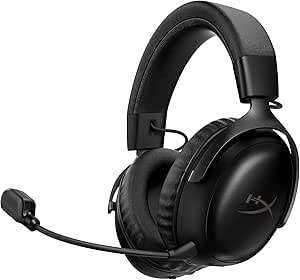 | Best for Long Battery Life | Connectivity: 2.4 GHz wireless, Bluetooth, Instant Pair with select OMEN laptops | Battery life: Up to 120 hours on 2.4 GHz; up to 200 hours on Bluetooth | Drivers: 53 mm angled | VIEW LATEST PRICE | See Our Full Breakdown |
| HyperX Cloud III Wired Gaming Headset |  | Best Wired Pick | Connectivity: Wired | Drivers: 53 mm angled | Microphone: Detachable, noise-cancelling 10 mm microphone | VIEW LATEST PRICE | See Our Full Breakdown |
| SteelSeries Arctis Nova 7 Wireless Gen 2 Gaming Headset, Black |  | Best for Game-Specific Audio Tuning | Connectivity: 2.4 GHz wireless and Bluetooth | Battery life: Up to 54 hours | Charging: USB-C fast charging | VIEW LATEST PRICE | See Our Full Breakdown |
| Turtle Beach Stealth 600 Wireless Gaming Headset |  | Best for Xbox and PlayStation Flexibility | Compatibility: Xbox, PS5, PC, and mobile | Connectivity: 2.4 GHz wireless and Bluetooth 5.4 | Drivers: 50 mm Nanoclear | VIEW LATEST PRICE | See Our Full Breakdown |
| Logitech G Astro A50 Multi-Platform Wireless Gaming Headset with Base Station |  | Best for Multi-System Setups | Connectivity: Wireless, Bluetooth, RF | Bluetooth version: 5 | Audio drivers: 40 mm PRO-G GRAPHENE | VIEW LATEST PRICE | See Our Full Breakdown |
| Razer BlackShark V2 X Gaming Headset |  | Best Lightweight Wired Pick | Driver size: 50 mm | Weight: 240 g | Connection: 3.5 mm audio jack | VIEW LATEST PRICE | See Our Full Breakdown |
| SteelSeries Arctis Nova 5 Wireless Multi-System Gaming Headset, Black |  | Best for Long Battery Life | Connectivity: 2.4 GHz wireless and Bluetooth 5.3 | Battery life: Up to 60 hours | Fast charging: 6 hours of use from 15 minutes of charging | VIEW LATEST PRICE | See Our Full Breakdown |
| Ozeino OW810 Wireless Gaming Headset |  | Best for Flexible Connection Options | Connectivity: 2.4 GHz wireless, Bluetooth, 3.5 mm wired | Wireless latency: Less than 30 ms | Driver size: 50 mm | VIEW LATEST PRICE | See Our Full Breakdown |
| SteelSeries Arctis Nova Pro Omni Wireless Gaming Headset, Midnight Blue |  | Best Premium Multi-Source Pick | Connectivity: 2.4 GHz wireless, Bluetooth 5.3 LE, USB, line-in | Audio certification: Hi-Res Certified | Driver frequency response: 10 Hz–40 kHz | VIEW LATEST PRICE | See Our Full Breakdown |
| Logitech G733 LIGHTSPEED Wireless Gaming Headset, Black |  | Best Lightweight Wireless Pick | Connectivity: LIGHTSPEED wireless, RF | Wireless range: Up to 20 meters | Battery life: Up to 29 hours | VIEW LATEST PRICE | See Our Full Breakdown |
| HyperX Cloud II Wired Gaming Headset with 7.1 Virtual Surround Sound, Red | 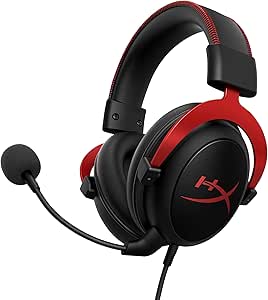 | Best Wired Value | Type: Over-ear wired gaming headset | Driver size: 53 mm | Frequency response: 15–25 kHz | VIEW LATEST PRICE | See Our Full Breakdown |
| Turtle Beach Stealth 700 Gen 3 Wireless Gaming Headset |  | Best for Multi-Device Wireless | Connectivity: 2.4 GHz wireless and Bluetooth 5.2 | Wireless transmitters: Two USB transmitters | Drivers: 60 mm Eclipse dual drivers | VIEW LATEST PRICE | See Our Full Breakdown |
| Logitech G733 LIGHTSPEED Wireless Gaming Headset, White |  | Best for Comfort-Focused Play | Wireless technology: LIGHTSPEED wireless | Wireless range: Up to 20 meters | Battery life: Up to 29 hours | VIEW LATEST PRICE | See Our Full Breakdown |
| Logitech G522 LIGHTSPEED Wireless Gaming Headset, Black |  | Best for Flexible Connections | Wearing style: Over-ear | Connectivity: LIGHTSPEED wireless, Bluetooth, wired USB-A to USB-C | Audio resolution: 48 kHz/24-bit | VIEW LATEST PRICE | See Our Full Breakdown |
| gaming headset | Microphone | Connectivity | Battery life | Compatibility |
|---|---|---|---|---|
| Razer BlackShark V3 Wireless P | Detachable HyperClear Super Wideband 9.9 mm | 2.4 GHz wireless, Bluetooth 5.3, USB wired | Up to 70 hours | PC, Mac, PlayStation, Nintendo Switch, and mobile; not Xbox |
| HyperX Cloud III S Wireless Ga | Detachable 10 mm boom mic with LED mute indicator and built-in mesh filter | 2.4 GHz wireless, Bluetooth, Instant Pair with select OMEN laptops | Up to 120 hours on 2.4 GHz; up to 200 hours on Bluetooth | PC, PS5, PS4, Nintendo Switch, Mac, and mobile; not Xbox |
| HyperX Cloud III Wired Gaming | Detachable, noise-cancelling 10 mm microphone | Wired | — | PC, PS5, Xbox Series X|S, Xbox One, Nintendo Switch, Mac, and mobile |
| SteelSeries Arctis Nova 7 Wire | Retractable ClearCast Gen 2 with noise rejection | 2.4 GHz wireless and Bluetooth | Up to 54 hours | — |
| Turtle Beach Stealth 600 Wirel | Flip-to-mute with AI-based noise reduction | 2.4 GHz wireless and Bluetooth 5.4 | Up to 80 hours | Xbox, PS5, PC, and mobile |
| Logitech G Astro A50 Multi-Pla | 48 kHz full-bandwidth boom mic | Wireless, Bluetooth, RF | Up to 24 hours at 78 dB | — |
| Razer BlackShark V2 X Gaming H | Razer HyperClear cardioid | — | — | PC, Mac, PS4, Xbox One, Nintendo Switch |
| SteelSeries Arctis Nova 5 Wire | Retractable ClearCast 2.X, 32 kHz/16-bit audio | 2.4 GHz wireless and Bluetooth 5.3 | Up to 60 hours | PC, PlayStation, Switch, Meta Quest, and supported phones and tablets |
| Ozeino OW810 Wireless Gaming H | — | 2.4 GHz wireless, Bluetooth, 3.5 mm wired | Up to 40 hours | — |
| SteelSeries Arctis Nova Pro Om | 32 kHz/16-bit, omnidirectional, AI noise reduction | 2.4 GHz wireless, Bluetooth 5.3 LE, USB, line-in | Up to 60 hours total with two hot-swappable batteries | PC, Mac, PlayStation, Xbox, Switch, Steam Deck, ROG Ally, and mobile devices |
| Logitech G733 LIGHTSPEED Wirel | Blue VO!CE | LIGHTSPEED wireless, RF | Up to 29 hours | — |
| HyperX Cloud II Wired Gaming H | Detachable, noise-cancelling | — | — | PC, Mac, PS4, Xbox One, Nintendo Switch, and mobile devices |
| Turtle Beach Stealth 700 Gen 3 | Flip-to-mute, unidirectional with AI noise reduction | 2.4 GHz wireless and Bluetooth 5.2 | Up to 80 hours | Xbox Series X|S, Xbox One, PS5, PS4, Windows PC, Steam Deck, and mobile |
| Logitech G733 LIGHTSPEED Wirel | — | — | Up to 29 hours | PlayStation 5, PlayStation 4, Nintendo Switch in dock, PC |
| Logitech G522 LIGHTSPEED Wirel | Detachable, 48 kHz/16-bit Blue VO!CE | LIGHTSPEED wireless, Bluetooth, wired USB-A to USB-C | Up to 60 hours with lighting off | — |
More Details on Our Top Picks
Razer BlackShark V3 Wireless PC Gaming Headset, Black
The BlackShark V3 is the most flexible pick here for players who move between a console, computer, and phone. It combines low-latency 2.4 GHz wireless with Bluetooth and USB wired mode, and can play 2.4 GHz and Bluetooth audio at the same time. That gives it an advantage over the wired HyperX Cloud III when you want game audio and phone audio without swapping headsets. Its 270 g build is also lighter than the Cloud III S, while up to 70 hours of battery life limits charging interruptions. THX Spatial Audio and a detachable microphone add useful gaming features, but the key compatibility catch is real: it does not work with Xbox. Choose it for broad device flexibility outside Xbox, not for the longest runtime or universal console support.
Pros:- Supports 2.4 GHz wireless, Bluetooth 5.3, and USB wired connections
- Can play 2.4 GHz and Bluetooth audio simultaneously
- Lightweight 270 g design and up to 70 hours of battery life
- Detachable microphone and THX Spatial Audio
Cons:- Not compatible with Xbox
- Battery life falls short of the HyperX Cloud III S Wireless’s stated maximums
- Its broad connection options may be unnecessary for players who use just one gaming device
Best for: PC, PlayStation, and Switch players who want to mix wireless game audio with Bluetooth audio from a phone.
Not ideal for: Xbox owners, since this headset is not compatible with Xbox consoles.
- Connectivity:2.4 GHz wireless, Bluetooth 5.3, USB wired
- Wireless latency:As low as 10 ms
- Drivers:50 mm TriForce Titanium Gen-2
- Audio:THX Spatial Audio, 7.1.4 surround sound
- Microphone:Detachable HyperClear Super Wideband 9.9 mm
- Battery life:Up to 70 hours
- Weight:270 g
- Compatibility:PC, Mac, PlayStation, Nintendo Switch, and mobile; not Xbox
Our verdict“Choose the BlackShark V3 if you want a light, multi-device wireless headset and do not need Xbox compatibility.”
HyperX Cloud III S Wireless Gaming Headset
If charging interruptions are the main thing you want to avoid, the Cloud III S Wireless has the strongest runtime claim in this group: up to 120 hours over 2.4 GHz or 200 hours over Bluetooth. Those figures give it a clear endurance advantage over the Razer BlackShark V3, though the HyperX is heavier at 356 g. Its memory foam cushions and headband suit extended sessions, and the detachable boom mic keeps the setup adaptable when you use it away from games. Connectivity includes 2.4 GHz and Bluetooth, plus Instant Pair with select OMEN laptops; that last feature is useful only if you own a supported laptop. Like the BlackShark V3, this headset does not support Xbox, so its impressive battery life will not help Xbox players looking for one headset across devices.
Pros:- Up to 120 hours of battery life on 2.4 GHz and up to 200 hours on Bluetooth
- Offers both 2.4 GHz wireless and Bluetooth connectivity
- Memory foam cushions and headband for extended sessions
- Detachable boom microphone with LED mute indicator
Cons:- Not compatible with Xbox
- At 356 g, it weighs more than the Razer BlackShark V3
- Instant Pair is limited to select OMEN laptops
Best for: PC, PlayStation, Switch, and mobile players who prioritize long intervals between charges and want both 2.4 GHz and Bluetooth.
Not ideal for: Xbox players or anyone seeking a lighter headset than the 270 g Razer BlackShark V3.
- Connectivity:2.4 GHz wireless, Bluetooth, Instant Pair with select OMEN laptops
- Battery life:Up to 120 hours on 2.4 GHz; up to 200 hours on Bluetooth
- Drivers:53 mm angled
- Microphone:Detachable 10 mm boom mic with LED mute indicator and built-in mesh filter
- Bluetooth version:Bluetooth 5
- Bluetooth range:20 m
- Weight:356 g
- Compatibility:PC, PS5, PS4, Nintendo Switch, Mac, and mobile; not Xbox
Our verdict“Pick the Cloud III S Wireless if marathon battery life matters more to you than low weight or Xbox support.”
HyperX Cloud III Wired Gaming Headset
The HyperX Cloud III is the straightforward choice for players who would rather skip wireless charging and connection setup. Its wired connection works across PC, PlayStation, Xbox, Switch, Mac, and mobile, giving it broader stated console compatibility than the wireless Cloud III S and Razer BlackShark V3. Angled 53 mm drivers and memory foam cushions are aimed at long gaming sessions, while the aluminum frame is intended to add durability. The detachable noise-cancelling microphone has an LED mute indicator, making mute status easier to check at a glance. The tradeoff is the cable: it limits movement compared with the wireless options, and the mic can be misplaced when detached. This is a practical fit for a fixed desk or console setup, rather than players who want to roam or switch between wireless audio sources.
Pros:- Wired compatibility includes PC, PlayStation, Xbox, Switch, Mac, and mobile
- Memory foam headband and ear cushions suit longer sessions
- Detachable noise-cancelling microphone has an LED mute indicator
- Aluminum frame is designed for durability
Cons:- Wired connection restricts movement compared with the BlackShark V3 and Cloud III S Wireless
- No wireless or Bluetooth connection
- The detachable microphone can be misplaced
Best for: Players who game at a desk or console, want a wired connection, and need compatibility across Xbox, PlayStation, PC, and Switch.
Not ideal for: Players who want cable-free movement, simultaneous Bluetooth audio, or a microphone that stays attached when not in use.
- Connectivity:Wired
- Drivers:53 mm angled
- Microphone:Detachable, noise-cancelling 10 mm microphone
- Ear placement:Over-ear
- Earpiece shape:Oval
- Frame:Aluminum
- Included accessories:USB to 3.5 mm cable and USB-C adapter
- Compatibility:PC, PS5, Xbox Series X|S, Xbox One, Nintendo Switch, Mac, and mobile
Our verdict“Choose the wired Cloud III for broad platform compatibility and a simple connection, provided a cable will not bother you.”
SteelSeries Arctis Nova 7 Wireless Gen 2 Gaming Headset, Black
The Arctis Nova 7 Wireless Gen 2 suits players who like shaping sound for different games rather than relying on a single tuning. Its app offers presets for more than 200 games, a level of game-specific customization not listed for the Razer BlackShark V3 or HyperX Cloud III S. Simultaneous 2.4 GHz and Bluetooth audio also lets you keep game sound and another wireless source active together. At up to 54 hours, its battery life is shorter than the BlackShark V3’s 70 hours and the Cloud III S’s much higher stated maximums, though USB-C fast charging can help reduce downtime. A steel frame and memory foam cushions round out the fit-focused design. This headset makes more sense for players who will use its app controls than for buyers who want the longest battery life or a simple plug-and-play setup.
Pros:- App-controlled presets for more than 200 games
- Simultaneous 2.4 GHz wireless and Bluetooth audio
- Up to 54 hours of battery life with USB-C fast charging
- Steel frame and memory foam cushions
Cons:- Stated battery life is shorter than the Razer BlackShark V3 and HyperX Cloud III S Wireless
- The audio presets offer less benefit if you prefer not to use companion app controls
- Warranty is one year, shorter than the two-year warranties listed for the HyperX and Razer options
Best for: Players who switch among games and want app-based presets alongside simultaneous 2.4 GHz and Bluetooth audio.
Not ideal for: Battery-life-first buyers or players who do not plan to use game-specific audio presets.
- Connectivity:2.4 GHz wireless and Bluetooth
- Battery life:Up to 54 hours
- Charging:USB-C fast charging
- Audio drivers:Neodymium magnetic
- Microphone:Retractable ClearCast Gen 2 with noise rejection
- Ear placement:Over-ear
- Included accessories:USB-C wireless dongle, USB-C to USB-A adapter, USB-A to USB-C charging cable
- Warranty:1 year
Our verdict“Choose the Arctis Nova 7 Gen 2 if you want game-specific sound presets and dual wireless audio more than maximum runtime.”
Turtle Beach Stealth 600 Wireless Gaming Headset
The Stealth 600 is the most suitable option here for players who want wireless headset support across Xbox and PlayStation: both are listed as compatible, unlike the Razer BlackShark V3 and HyperX Cloud III S Wireless, which exclude Xbox. It pairs low-latency 2.4 GHz wireless with Bluetooth 5.4 and offers up to 80 hours of battery life, exceeding the BlackShark V3’s stated runtime. Its flip-to-mute mic is easy to mute without removing a detachable boom, while glasses-friendly memory foam cushions address a common comfort issue. EQ modes, Superhuman Hearing, and a 10-band EQ add tuning options, but the deeper EQ work requires the Swarm II app. That makes this a better fit for buyers willing to customize than for anyone seeking a completely app-free setup.
Pros:- Compatibility includes Xbox, PS5, PC, and mobile
- Supports 2.4 GHz wireless and Bluetooth 5.4
- Up to 80 hours of battery life
- Glasses-friendly memory foam cushions and a flip-to-mute microphone
Cons:- Advanced 10-band EQ customization requires the Swarm II app
- App-based tuning adds setup steps compared with simpler headset controls
- Compatibility information does not list Nintendo Switch or Mac
Best for: Xbox and PlayStation players who want wireless connectivity, long battery life, glasses-friendly cushions, and customizable audio.
Not ideal for: Buyers who want advanced EQ controls without using the Swarm II app or who need stated compatibility beyond Xbox, PS5, PC, and mobile.
- Compatibility:Xbox, PS5, PC, and mobile
- Connectivity:2.4 GHz wireless and Bluetooth 5.4
- Drivers:50 mm Nanoclear
- Battery life:Up to 80 hours
- Microphone:Flip-to-mute with AI-based noise reduction
- Audio customization:Built-in EQ modes, Superhuman Hearing, and 10-band EQ via Swarm II app
- Cushions:Memory foam with glasses-friendly technology
- Controls:Mappable wheel, mode button, and QuickSwitch button
Our verdict“Pick the Stealth 600 if you want one wireless headset for Xbox and PlayStation and are comfortable using an app for advanced EQ.”
Logitech G Astro A50 Multi-Platform Wireless Gaming Headset with Base Station
The Astro A50’s base station makes it a strong fit for players who regularly move between consoles and PC: it can connect to three systems, with on-ear switching to change sources. That setup is more convenient than the Razer BlackShark V2 X, which uses a 3.5 mm cable, and more focused on system switching than the app-based game presets of the Arctis Nova 5. Bluetooth audio mixing also lets you hear mobile audio alongside gaming sound. The tradeoff is that this is a wireless-first headset with no headphone jack, so a wired fallback is not part of the package. Battery life is listed as up to 24 hours at 78 dB; buyers who need longer stretches between charges may prefer the Nova 5’s stated 60 hours.
Pros:- Base station supports connections to three gaming systems with on-ear switching
- Magnetic base station provides a convenient charging place
- Bluetooth audio mixing can combine mobile audio with game sound
- Compatible with Xbox, PS5, PC/Mac, and Nintendo Switch
Cons:- No headphone jack for wired listening or backup use
- Up to 24 hours of battery life is shorter than the Arctis Nova 5’s stated runtime
- The base station adds equipment and setup to a gaming area
Best for: Players who use several consoles or a console and PC, and want a base station for charging and quick source switching.
Not ideal for: Buyers who need a wired backup, or who want longer stated battery life than 24 hours between charges.
- Connectivity:Wireless, Bluetooth, RF
- Bluetooth version:5
- Audio drivers:40 mm PRO-G GRAPHENE
- Microphone:48 kHz full-bandwidth boom mic
- Battery life:Up to 24 hours at 78 dB
- Compatible platforms:Xbox, PS5, PC/Mac, Nintendo Switch
- Included accessories:Base station, ear cushions, headband, user manual
- Warranty:1 year limited hardware warranty
Our verdict“Choose the Astro A50 if effortless switching among several gaming systems matters more than a wired fallback or longer battery life.”
Razer BlackShark V2 X Gaming Headset
At 240 g, the BlackShark V2 X is the straightforward choice for players who value a light headset and a simple 3.5 mm connection over wireless features. Its closed earcups and foam cushions help keep outside sound at bay, while the cardioid mic is suited to focusing voice pickup toward the speaker. Compared with the wireless SteelSeries Arctis Nova 5, this Razer avoids charging and wireless pairing, but gives up Bluetooth, app-based presets, and freedom from a cable. Its software-enabled 7.1 surround sound is limited to 64-bit Windows 10, so console players should not expect that feature to carry over. The 3.5 mm connection supports a broad range of listed platforms, though Xbox One may require a separately sold stereo adapter.
Pros:- Lightweight 240 g design
- Closed earcups and foam cushions help isolate sound
- 50 mm drivers with software-enabled 7.1 surround sound on compatible Windows 10 systems
- 3.5 mm connection supports PC, Mac, PS4, Xbox One, and Nintendo Switch
Cons:- Wired connection limits movement compared with the Arctis Nova 5
- 7.1 surround sound is limited to 64-bit Windows 10
- Xbox One may require a separately sold stereo adapter
Best for: Players who want a light, wired headset for PC or console gaming and prefer a simple 3.5 mm connection to wireless setup.
Not ideal for: Buyers who want wireless play, Bluetooth audio, or surround processing across platforms beyond compatible Windows 10 PCs.
- Driver size:50 mm
- Weight:240 g
- Connection:3.5 mm audio jack
- Design:Over-ear, closed earcups
- Microphone:Razer HyperClear cardioid
- Compatibility:PC, Mac, PS4, Xbox One, Nintendo Switch
- Surround sound:Software-enabled 7.1 on Windows 10 64-bit
- Warranty:2 years
Our verdict“Pick the BlackShark V2 X for a lightweight, uncomplicated wired headset, but choose the Arctis Nova 5 if wireless freedom is a priority.”
SteelSeries Arctis Nova 5 Wireless Multi-System Gaming Headset, Black
The Arctis Nova 5 stands out for combining up to 60 hours of battery life with both 2.4 GHz wireless and Bluetooth 5.3. That makes it a more flexible everyday option than the wired Razer BlackShark V2 X, while its companion app’s 100-plus game audio presets give players a way to tailor sound without relying only on headset controls. USB-C fast charging adds practical reassurance: 15 minutes is listed as enough for six hours of use. The retractable mic keeps the headset tidy when voice chat is not needed. Compared with the multi-system Logitech G Astro A50, the Nova 5 trades a dedicated base station and three-system switching for longer stated battery life and a portable USB-C dongle. Some features, including AI noise cancellation, require a PC.
Pros:- Up to 60 hours of stated battery life
- 15 minutes of charging provides up to six hours of use
- 2.4 GHz wireless and Bluetooth 5.3 connectivity
- More than 100 game audio presets in the companion app
Cons:- Some features, including AI noise cancellation, require a PC
- Uses a USB-C dongle rather than the Astro A50’s dedicated multi-system base station
- Retractable microphone’s listed audio format is 32 kHz/16-bit
Best for: Players who want a wireless headset for several platforms, frequent Bluetooth use, and fewer charging interruptions.
Not ideal for: Buyers who want a dedicated base station for switching among multiple systems or need every software feature available without a PC.
- Connectivity:2.4 GHz wireless and Bluetooth 5.3
- Battery life:Up to 60 hours
- Fast charging:6 hours of use from 15 minutes of charging
- Microphone:Retractable ClearCast 2.X, 32 kHz/16-bit audio
- Audio presets:Over 100
- Compatibility:PC, PlayStation, Switch, Meta Quest, and supported phones and tablets
- Included accessories:USB-C to USB-A charging cable, USB-C dongle extension, USB-C multi-platform dongle, manual
- Warranty:1 year
Our verdict“Choose the Arctis Nova 5 if long battery life, Bluetooth, and game-specific presets matter more than a dedicated system-switching base station.”
Ozeino OW810 Wireless Gaming Headset
The OW810’s main draw is having three ways to connect: 2.4 GHz wireless, Bluetooth, and 3.5 mm wired mode. Its low-latency 2.4 GHz connection is the gaming-focused option, and the listed platform support covers PS5, PS4, PC, Mac, laptops, and Switch with the transmitter. That flexibility is broader on paper than the single 3.5 mm connection of the Razer BlackShark V2 X, while the stated 40-hour battery life sits between the Astro A50 and Arctis Nova 5. The caveats matter: Bluetooth does not directly support PS5, PS4, PC, or Mac, and wired mode is listed for music and calls only. Xbox compatibility is also limited, so check the specific console before choosing it.
Pros:- Offers 2.4 GHz wireless, Bluetooth, and 3.5 mm wired modes
- 2.4 GHz wireless latency is listed as less than 30 ms
- Up to 40 hours of battery life
- Includes USB and Type-C transmitters and a 3.5 mm AUX cable
Cons:- Bluetooth does not directly support PS5, PS4, PC, or Mac
- Not compatible with all Xbox consoles
- 3.5 mm wired mode supports music and calls only, not gaming audio
Best for: Players who want a multi-connection headset for supported consoles, PC, or Switch and value Bluetooth as an extra option for compatible devices.
Not ideal for: Xbox owners who have not confirmed compatibility, or buyers who expect Bluetooth to connect directly to PS5, PS4, PC, or Mac.
- Connectivity:2.4 GHz wireless, Bluetooth, 3.5 mm wired
- Wireless latency:Less than 30 ms
- Driver size:50 mm
- Bluetooth range:15 feet
- Bluetooth version:4
- Battery life:Up to 40 hours
- Battery charge time:2.98 hours
- Warranty:3 years
Our verdict“The OW810 suits players who can use its 2.4 GHz transmitter and want extra connection options, but it is a poor pick if you need reliable Xbox or Bluetooth gaming support.”
SteelSeries Arctis Nova Pro Omni Wireless Gaming Headset, Midnight Blue
The Arctis Nova Pro Omni is the most feature-packed choice here for players who want to manage multiple systems and audio sources from one headset. It supports 2.4 GHz, Bluetooth, USB, and line-in, with the ability to connect multiple systems and mix up to four sources. Hybrid active noise cancellation and a noise-reducing mic add appeal for shared rooms or busy voice chat, while two hot-swappable batteries avoid the downtime of a conventional recharge. Compared with the Logitech G Astro A50, it adds ANC, line-in, and dual batteries; the Astro is a simpler fit for three-system switching through its base station. The tradeoffs are its 339 g weight and reliance on companion software or the mobile app for some controls. Full charge time is not specified.
Pros:- Connects multiple systems and can mix up to four audio sources
- Hybrid active noise cancellation and AI noise reduction for the microphone
- Two hot-swappable batteries provide up to 60 hours of total runtime
- Supports 2.4 GHz wireless, Bluetooth, USB, and line-in
Cons:- Weighs 339 g, more than the 240 g Razer BlackShark V2 X
- Some Sonar controls depend on companion software or the mobile app
- Full charging time for a battery is not specified
Best for: Players with several consoles or devices who want to mix audio sources, use ANC, and keep playing by swapping batteries.
Not ideal for: Buyers seeking a lighter headset, simple plug-and-play controls, or clearly stated full-battery charging times.
- Connectivity:2.4 GHz wireless, Bluetooth 5.3 LE, USB, line-in
- Audio certification:Hi-Res Certified
- Driver frequency response:10 Hz–40 kHz
- Microphone:32 kHz/16-bit, omnidirectional, AI noise reduction
- Noise cancellation:Hybrid active noise cancellation
- Battery life:Up to 60 hours total with two hot-swappable batteries
- Charging:USB-C fast charging; 4 hours of runtime from 15 minutes of charging
- Compatibility:PC, Mac, PlayStation, Xbox, Switch, Steam Deck, ROG Ally, and mobile devices
- Weight:339 g
Our verdict“Choose the Arctis Nova Pro Omni if multi-source mixing, ANC, and swappable batteries justify its extra weight and software-dependent controls.”
Logitech G733 LIGHTSPEED Wireless Gaming Headset, Black
The black Logitech G733 suits players who want a lightweight wireless headset with a distinctive look, rather than the broadest connection options. At 278 g, its reversible suspension headband is designed to reduce pressure during longer sessions, while LIGHTSPEED wireless offers up to 20 meters of range and up to 29 hours of battery life. The 40 mm PRO-G drivers and Blue VO!CE microphone give it a useful mix of gaming audio and voice controls. Compared with the Logitech G522, the G733 is lighter on listed connection choices and battery life, but keeps its appeal focused on comfort and RGB customization. The tradeoff is that some features require G HUB, and it lacks the G522’s Bluetooth and wired USB options.
Pros:- Lightweight 278 g design with a reversible suspension headband
- Up to 29 hours of battery life and 20 meters of wireless range
- Dual-zone RGB lighting can be customized
- 40 mm PRO-G drivers and Blue VO!CE microphone
Cons:- Some customization features require G HUB software
- No Bluetooth or wired USB connection is listed
Best for: PC and PlayStation players who prioritize a lightweight fit, wireless freedom, and customizable lighting over Bluetooth or wired connectivity.
Not ideal for: Players who want one headset for wireless, Bluetooth, and wired use, or who prefer to avoid companion software for customization.
- Connectivity:LIGHTSPEED wireless, RF
- Wireless range:Up to 20 meters
- Battery life:Up to 29 hours
- Drivers:40 mm PRO-G
- Weight:278 g
- Microphone:Blue VO!CE
- Compatible platforms:PC, PS5, PS4, Nintendo Switch
- Color:Black
Our verdict“Choose the black G733 if comfort-focused LIGHTSPEED wireless and RGB matter more to you than the G522’s broader connection options.”
HyperX Cloud II Wired Gaming Headset with 7.1 Virtual Surround Sound, Red
The HyperX Cloud II is the wired choice for players who want a sturdy headset and broad device compatibility without relying on a wireless connection. Its 53 mm drivers, memory foam cushions, and aluminum frame make it a straightforward fit for long gaming sessions, while the detachable noise-cancelling microphone is handy when you want to use the headset for listening alone. Virtual 7.1 surround sound is available through the USB sound card on PC, Mac, and PS4; other listed platforms use stereo. That platform split matters: unlike the Turtle Beach Stealth 700 Gen 3, the Cloud II has no wireless or Bluetooth convenience, but it does not depend on battery life. Xbox One connection may require a Microsoft headset adapter, and the surround feature is not available across every supported device.
Pros:- Memory foam ear cushions and a padded headband support extended wear
- Aluminum frame offers a durable construction
- Detachable noise-cancelling microphone
- Virtual 7.1 sound is available on PC, Mac, and PS4
Cons:- Virtual 7.1 is limited to PC, Mac, and PS4; other listed platforms use stereo
- Xbox One may require a Microsoft headset adapter
- Wired connection limits freedom of movement
Best for: Players who want a durable wired headset for PC, Mac, and console use, and who value memory foam comfort over wireless convenience.
Not ideal for: Xbox One players without a Microsoft headset adapter, or anyone who wants wireless freedom or virtual 7.1 sound on every platform.
- Type:Over-ear wired gaming headset
- Driver size:53 mm
- Frequency response:15–25 kHz
- Surround sound:Virtual 7.1 on PC, Mac, and PS4
- Microphone:Detachable, noise-cancelling
- Frame:Aluminum
- Compatibility:PC, Mac, PS4, Xbox One, Nintendo Switch, and mobile devices
- Warranty:2 years
Our verdict“Pick the Cloud II if you want a comfortable, durable wired headset and can accept platform-dependent surround sound.”
Turtle Beach Stealth 700 Gen 3 Wireless Gaming Headset
The Turtle Beach Stealth 700 Gen 3 is the most flexible wireless pick here for players who move between a console or PC and a phone. Its two USB transmitters support switching between compatible gaming systems, while Bluetooth 5.2 can stay connected to a mobile device at the same time. That is a more versatile setup than the Logitech G733, which is centered on LIGHTSPEED wireless. The Stealth 700 also pairs 60 mm dual drivers with a flip-to-mute microphone featuring AI noise reduction, and its up-to-80-hour battery claim gives it more listed stamina than either G733. Memory foam cushions with glasses relief technology favor long sessions. The tradeoffs are a more involved app-driven setup and platform-dependent transmitter support, so check the connection method for your devices before choosing it.
Pros:- Two USB transmitters support switching between compatible gaming systems
- Bluetooth 5.2 can connect to a mobile device while gaming
- Up to 80 hours of battery life, with quick charging
- Memory foam cushions include glasses relief technology
Cons:- Some audio and microphone customization requires the Swarm II app
- Wireless transmitter support varies by platform
- More connection and customization options may be unnecessary for single-device players
Best for: Players who switch between compatible consoles or PC and want simultaneous Bluetooth access to a phone, plus glasses-friendly cushioning.
Not ideal for: Buyers seeking a simple single-platform headset who do not need app customization or who need confirmed wireless transmitter support for every device.
- Connectivity:2.4 GHz wireless and Bluetooth 5.2
- Wireless transmitters:Two USB transmitters
- Drivers:60 mm Eclipse dual drivers
- Microphone:Flip-to-mute, unidirectional with AI noise reduction
- Battery life:Up to 80 hours
- Quick charge:15 minutes provides up to 3 hours of battery life
- Cushions:Memory foam with ProSpecs glasses relief technology
- Compatibility:Xbox Series X|S, Xbox One, PS5, PS4, Windows PC, Steam Deck, and mobile
- App:Swarm II desktop and mobile app with 10-band EQ
Our verdict“Choose the Stealth 700 Gen 3 if you need simultaneous phone Bluetooth and flexible wireless gaming connections across compatible devices.”
Logitech G733 LIGHTSPEED Wireless Gaming Headset, White
The white Logitech G733 makes the most sense for players who want a light wireless headset with a comfort-focused headband and a clean colorway. Its 278 g frame, reversible suspension band, and memory foam earcups are aimed at extended play, while LIGHTSPEED wireless offers up to 20 meters of range and up to 29 hours of battery life. RGB lighting and voice filters add ways to personalize the setup, though customization can depend on software. Compared with the black G733 in this roundup, the core design and listed battery life are closely aligned; the white model’s supplied data also specifies a two-hour charge time and Bluetooth version 5, but Bluetooth use is not described as a connection mode. The G522 is a stronger fit for buyers seeking listed wired USB and Bluetooth connectivity.
Pros:- Lightweight 278 g build with a reversible suspension headband
- Memory foam earcups are designed for long sessions
- Up to 29 hours of battery life and 20 meters of wireless range
- Customizable dual-zone RGB lighting and microphone voice filters
Cons:- Stereo sound only is specified for supported consoles using the USB wireless dongle
- Some customization features depend on software
- Listed compatibility does not include Xbox
Best for: Players who want a lightweight wireless headset for supported PlayStation, PC, or docked Switch play and prefer a white finish.
Not ideal for: Players who need a wired USB connection, simultaneous Bluetooth use, or surround sound across consoles.
- Wireless technology:LIGHTSPEED wireless
- Wireless range:Up to 20 meters
- Battery life:Up to 29 hours
- Battery charge time:2 hours
- Weight:278 g
- Drivers:40 mm PRO-G
- Bluetooth version:5
- Compatibility:PlayStation 5, PlayStation 4, Nintendo Switch in dock, PC
- Color:White
Our verdict“Choose the white G733 if a lightweight, comfort-oriented wireless headset and its colorway suit your setup better than the G522’s broader listed connections.”
Logitech G522 LIGHTSPEED Wireless Gaming Headset, Black
The Logitech G522 is the most adaptable Logitech option in this group: it supports LIGHTSPEED wireless, Bluetooth, and wired USB, so switching between a gaming setup and other devices is less limiting than with the G733 models. Its up-to-60-hour battery life with lighting off also gives it more listed endurance than the G733’s up-to-29 hours, while a detachable 48 kHz/16-bit Blue VO!CE microphone lets you remove the boom when it is not needed. At 280 g, it remains lightweight, though it is slightly heavier than the G733. The main caveat is that the 60-hour figure applies with RGB lighting off; players drawn to LIGHTSYNC effects should expect battery life to fall. It suits buyers who value connection choices over the G733’s simpler, comfort-led focus.
Pros:- LIGHTSPEED wireless, Bluetooth, and wired USB connectivity
- Up to 60 hours of battery life with lighting off
- Detachable 48 kHz/16-bit Blue VO!CE microphone
- Lightweight 280 g over-ear design
Cons:- Battery life is reduced when RGB lighting is on
- Slightly heavier than the 278 g Logitech G733
- Full listed battery life depends on leaving lighting off
Best for: Players who use multiple devices and want wireless, Bluetooth, and wired USB options in one gaming headset.
Not ideal for: Buyers who plan to keep RGB lighting on and expect the full stated battery life, or who want the lighter 278 g G733 design.
- Wearing style:Over-ear
- Connectivity:LIGHTSPEED wireless, Bluetooth, wired USB-A to USB-C
- Audio resolution:48 kHz/24-bit
- Microphone:Detachable, 48 kHz/16-bit Blue VO!CE
- Battery life:Up to 60 hours with lighting off
- Wireless range:Up to 30 meters
- Weight:280 g
- Color:Black
- Warranty:2-year limited hardware warranty
Our verdict“Pick the G522 if you want more connection options and longer listed battery life than the G733, provided you can moderate RGB use.”
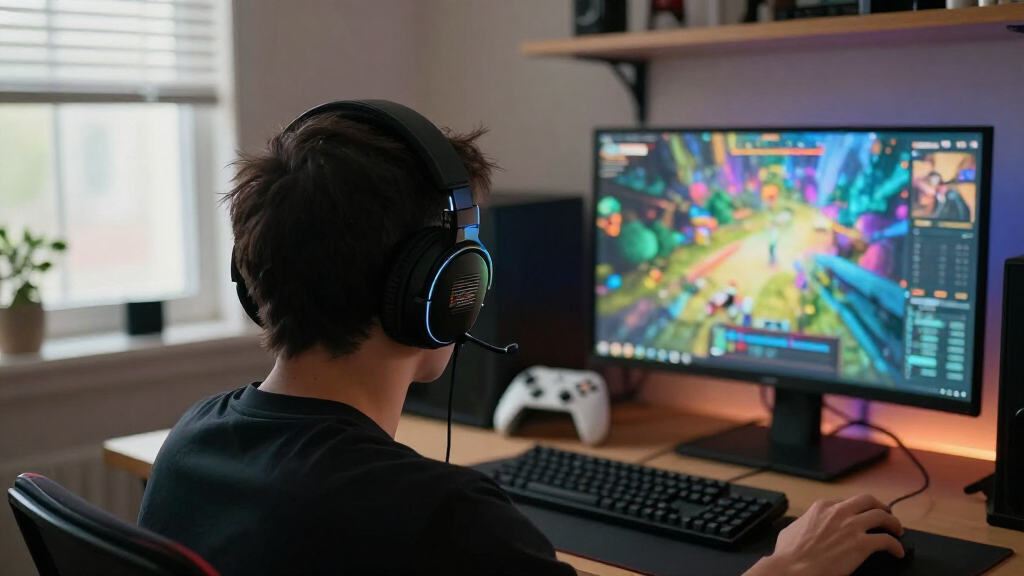
How We Picked
I ranked these headsets around the decisions that shape everyday gaming: how they connect to common gaming setups, how easy they are to use, whether their microphones and controls suit team chat, and how their designs support extended sessions. I also weighed practical ownership factors such as battery dependence, cables, charging arrangements, platform flexibility, and whether a headset’s added hardware is likely to matter to its intended buyer.
The order reflects fit and tradeoffs, not a claim that one model wins every category. Broadly useful picks rank ahead of more specialized or feature-heavy options; simple wired models remain relevant for players who prefer fewer connection and charging concerns. Where several products share a family name or similar purpose, I distinguish them by intended use rather than treating them as interchangeable. Buyers should verify compatibility for their exact console or device before choosing.
Factors to Consider When Choosing Best Gaming Headsets
A headset choice affects more than sound: it changes how you manage charging, chat, connections, and comfort across a gaming session. I recommend settling the setup questions first, then weighing extra features against the habits they are meant to improve.
Match the connection to your setup
Start with the devices you actually play on, not the broadest compatibility claim on a product page. Wireless headsets may use different connection methods, and features available on a PC may not carry over to a console or phone. If you move between systems, check whether switching requires a cable, a receiver, a base station, or reconnecting each time. A wired headset avoids charging and wireless pairing, but cable length and routing matter if your console or PC is far from your seat. Buyers often pay for multi-device flexibility they rarely use, so map out your weekly setup before treating it as a deciding feature.
Decide whether wireless freedom is worth the upkeep
Wireless is most valuable when you move around between matches, play from a couch, or dislike cables crossing your desk. It also adds a routine: the headset needs power, and a dead battery can interrupt play at an inconvenient moment. Think about where and when you can charge it, and whether you want to keep a cable within reach as a fallback. Wired choices such as the HyperX Cloud III and Cloud II trade movement for a direct, low-maintenance connection. Don’t choose wireless by default if your headset stays at the same desk and charging is a nuisance rather than a benefit.
Prioritize comfort for the length of your sessions
Comfort depends on fit as much as padding: head shape, glasses, ear size, clamp pressure, and heat can all change how a headset feels. Product descriptions rarely answer those personal-fit questions, so check return terms and try a new headset in shorter sessions before relying on it for an all-night game. A lighter design may reduce pressure for some players, while a different headband or earcup shape may suit others better. If you wear glasses, consider how the earcups press around the temples rather than focusing only on the cushions. Buying the most feature-rich model cannot fix a poor fit.
Treat microphone needs as a separate buying decision
For solo play, a basic microphone may be enough; frequent squad calls, streaming, or work calls make voice quality and microphone controls more consequential. Check whether the mic can be muted quickly, moved out of the way, or removed if you also use the headset for music. A microphone’s marketing label does not tell you how it will sound in a noisy room or how well it suits your voice. If chat is central to your use, look for clear demonstrations and independent microphone samples rather than relying on a single spec. Also check that the mic and its controls work as expected on your chosen platform.
Pay for features you will use, not a longer feature list
Base stations, extra connection options, app controls, and on-headset adjustments can make a setup smoother when you use them regularly. They also add equipment, setup steps, or settings to manage. A player who alternates between several devices may benefit from a more involved wireless system, while a single-platform player may gain little from that flexibility. Before paying for added controls or software, name the task they will simplify: switching sources, changing audio profiles, or managing chat. If you cannot identify a recurring use, a simpler headset may be easier to live with.
Check long-term ownership details before choosing
Ear cushions, cables, wireless receivers, and charging accessories can affect how convenient a headset remains after the first few months. Look up whether replacement parts are available and how the headset charges before you settle on a model. A proprietary base or receiver may be useful within its intended setup, but it can make a missing accessory more disruptive. Wireless headsets also depend on battery health and charging habits over time, while wired models can still be affected by cable wear. These details rarely determine sound quality, yet they can decide whether a headset remains easy to use.
Frequently Asked Questions
Should I choose the Razer BlackShark V3 Wireless or a wired HyperX Cloud headset?
Choose the BlackShark V3 Wireless if freedom from a cable matters in your room and you are comfortable keeping a headset charged. The Cloud III Wired or Cloud II Wired makes more sense if you want a direct connection and do not want battery upkeep. The wired HyperX models also suit a fixed desk setup where cable reach is not a problem. Compare the exact connection and controls against your device before buying, especially if you play on a console. The best fit comes down to whether convenience means fewer cables or fewer things to charge.
Is a premium wireless headset worthwhile if I play on only one platform?
It can be, but only if its extra controls, connectivity, or included hardware improve the way you use that platform. A feature-rich headset may be wasted if you leave most settings untouched and never switch devices. Start by identifying a specific problem, such as managing multiple audio sources or reducing setup friction. If the premium extras do not address a recurring need, a simpler wireless or wired option may be a better match. Check platform-specific feature support before paying for capabilities that might be limited on your system.
How can I tell whether a headset will work with my console and PC?
Check the manufacturer’s compatibility information for each device rather than assuming that “multi-platform” means every feature works everywhere. Confirm the connection method your console supports, and see whether the headset needs a USB receiver, a base station, or a controller connection. Some models may offer different controls or audio features on PC than on a console. If you plan to switch between systems, verify how that switch happens and whether you need to move hardware. When compatibility details are unclear, contact the manufacturer before ordering.
Is wireless a good choice for long gaming sessions?
Wireless can work well for long sessions if its battery life and charging routine suit how you play. Consider whether you can charge between sessions and whether you want a cable available if power runs low. A wired headset avoids that interruption, which can make it a better fit for marathon play or a permanent desk setup. Comfort also matters more as sessions get longer, and battery convenience cannot compensate for a poor fit. Compare charging details and fit alongside connection type instead of treating wireless as an automatic upgrade.
Should I buy the least expensive headset in this roundup as my first gaming headset?
Not automatically. An entry-level model can be a sensible start if its connection matches your device and its controls cover your basic chat and audio needs. But the lowest-complexity choice may be a wired headset, not necessarily the headset with the fewest features. Check fit, microphone usability, and platform compatibility before deciding that a lower-cost design is the right beginner option. If you are unsure how you will use a headset, avoid paying for elaborate extras until you know which features matter in your setup.
Conclusion
For best overall, I’d start with the Razer BlackShark V3 Wireless for a balanced wireless gaming setup. For best value and best for beginners, the HyperX Cloud III Wired is a straightforward choice for players who want a simple connection; the BlackShark V2 X and Ozeino OW810 are other entry-level paths worth comparing against your needs. For best premium, look at the SteelSeries Arctis Nova Pro Omni or Logitech G Astro A50 if you will use their broader feature sets and setup hardware. Choose the HyperX Cloud II Wired if you prefer a wired alternative, or compare the Nova and Turtle Beach wireless models when multi-device use is a priority. Before deciding, confirm platform support and fit: those details can matter more than another feature on the box.
Halloween Picks
halloween
As an affiliate, we earn on qualifying purchases.